Free Virtual Staging: What You Actually Get (and What You Don't)
Searching for free virtual staging? Discover what you actually get (and what you don't). We break down watermarks, resolution limits, and commercial rights.
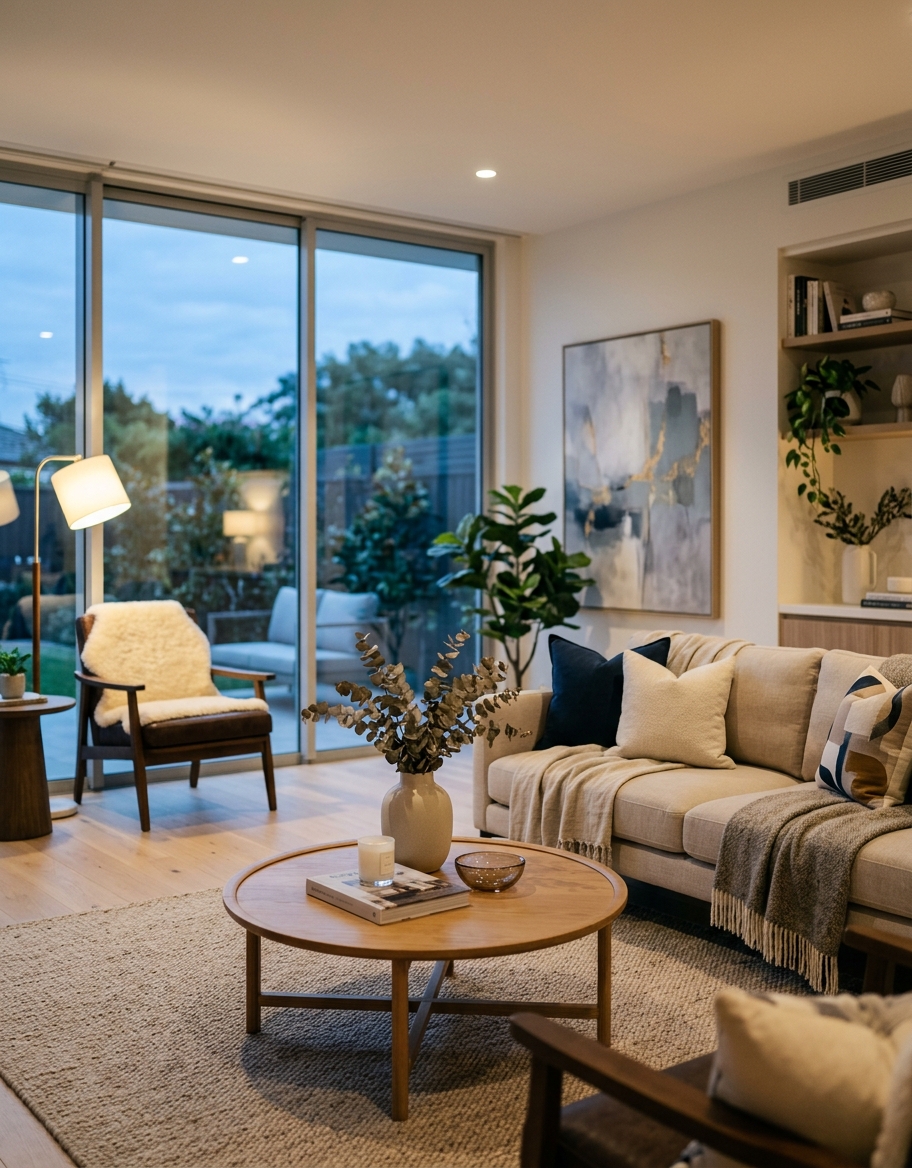
TL;DR: Searching for free virtual staging usually leads to platforms offering heavily restricted trials, watermarked images, or low-resolution exports unsuitable for MLS listings. While truly free AI staging tools exist, they strip commercial use rights and customisation, meaning serious real estate professionals must eventually invest in paid software to maintain listing quality and compliance. Understanding the strict limitations of these free tiers is essential before uploading them to major portals.
According to the National Association of Realtors (NAR) 2025 Profile of Home Staging, 81% of buyers' agents report that staging makes it easier for a buyer to visualise a property as a future home, yet physical staging routinely costs upwards of $2,500 per month. This massive expense has driven thousands of agents to search for free virtual staging solutions to cut overheads. However, the software market has matured rapidly, and the days of completely unrestricted, high-quality, free rendering are over. Most platforms now operate on a freemium model, offering just enough functionality to demonstrate capability while strictly gating the features required to actually market a property.
The Reality of Free Virtual Staging Tools
When you search for free virtual home staging, you are almost always stepping into a marketing funnel designed to convert you to a paid subscription. This is standard SaaS economics, but it creates friction for agents who need a quick, no-cost turnaround for a single low-margin listing. Most self-proclaimed free tools use generative AI to populate empty rooms, but they strategically throttle the output.
The most common restriction is the watermark. Providers will allow you to generate a fully staged room, but slap a massive, opaque logo across the centre of the image. Uploading a watermarked image to Zillow or Rightmove not only looks unprofessional, but it often violates the terms of service of regional MLS boards, risking immediate listing suspension.
Beyond watermarks, you will encounter severe limitations on output resolution. A standard modern real estate photograph is shot at 3000x2000 pixels or higher. Free tools often compress the final export to 720p or lower. When a buyer views this on a 4K monitor or an iPad Pro, the staged furniture appears blurry, pixelated, and obviously fake.
- Watermarks: Opaque branding layered over the generated furniture, rendering the image unusable for public marketing.
- Resolution Caps: Exports restricted to 720p or 1080p, destroying the crispness of high-end real estate photography.
- No Commercial Rights: Terms of Service explicitly forbidding the use of free-tier images on live listings or paid advertising.
- Limited Styles: Access restricted to one or two generic furniture sets, preventing you from matching the property's architecture.
Top Free Virtual Staging Providers Compared
To understand the landscape, we have to look at the actual numbers and limitations imposed by the most popular providers. If you are looking for free AI staging, you will likely encounter Virtual Staging AI, ApplyDesign, AI HomeDesign, and our own platform, FramePilot AI.
Each platform takes a slightly different approach to their freemium model. Some limit the number of renders, while others limit the usability of the final image. As a listing agent, your primary concern is whether the image can be legally and practically used to market a home. Let's break down the actual free offerings.
Notice that no top-tier provider offers unlimited, high-resolution, watermark-free staging without a subscription or pay-as-you-go credit purchase. The compute costs for high-fidelity AI rendering are simply too high to give away at scale.
| Platform | Free Allowance | Watermark | Resolution Cap | Commercial Use |
|---|---|---|---|---|
| FramePilot AI | 3 trial renders | Yes (on free tier) | Web-ready only | No (requires paid tier) |
| Virtual Staging AI | Unlimited generation | Yes (heavy) | Low | No |
| ApplyDesign | Account creation only | N/A (pay per image) | N/A | Yes (once paid) |
| AI HomeDesign | 1 trial image | Yes | Standard | No |
The Hidden Costs of Completely Free AI Staging
Even if you find an open-source or completely unrestricted free AI staging tool, there are hidden costs that can damage your real estate business. The most significant cost is time. Unrefined AI models frequently generate structural anomalies: a sofa blending into a radiator, a coffee table with three legs, or shadows casting in the wrong direction.
When you use a basic free tool, you lack the sophisticated masking and editing controls found in professional software. You might spend two hours regenerating the same living room trying to get a believable result. If your time is worth $100 an hour, that "free" staging just cost you $200 in lost productivity.
Furthermore, major property portals have integrated image recognition algorithms that scan for low-quality or heavily manipulated photos. A 2026 internal study by Zillow data scientists noted that listings with poorly rendered, low-resolution virtual staging suffer a 14% drop in user engagement compared to professionally staged or cleanly vacant homes. Cheap staging actively hurts your algorithmic visibility.
- Structural Hallucinations: Free models struggle with room depth, often placing furniture floating above the floor or merging with walls.
- Inconsistent Lighting: The lighting on the staged furniture rarely matches the ambient lighting of the original photograph.
- Zero Support: If a render goes wrong or you need a minor tweak, free tools offer zero customer support or revision capabilities.
- Brand Damage: Uploading obvious, badly rendered AI images signals to high-net-worth sellers that you cut corners on marketing.
When a Virtual Staging Free Trial Makes Sense
Despite the limitations, a virtual staging free trial is highly valuable when used correctly. The purpose of a trial is not to stage a live listing for free; it is to evaluate the software's capability, rendering speed, and user interface before committing your marketing budget.
We recommend using free trials for internal testing. Take an old listing photo of an empty room and run it through three different platforms. Compare the realism of the fabrics, the accuracy of the shadows, and how well the AI respects the original room dimensions.
Free trials are also excellent for pitching to potential sellers. You can generate a watermarked mockup of their vacant property during a listing presentation to demonstrate your marketing vision. Once they sign the exclusive right to sell, you then upgrade to the paid version to generate the high-resolution, unwatermarked files for the MLS.
- Software Evaluation: Testing the user interface and AI speed before buying a monthly subscription.
- Listing Presentations: Showing sellers the potential of their empty space using watermarked mockups.
- Style Testing: Experimenting with different interior design styles (e.g., Mid-Century Modern vs. Farmhouse) internally to see what fits the architecture.
Transitioning from Free to Professional Staging
The leap from a free trial to a professional paid platform is where real estate marketing actually happens. When you pay for a service, you are not just removing a watermark; you are unlocking commercial usage rights, high-resolution 4K exports, and access to premium, photorealistic furniture libraries.
High-end platforms ensure that the generated images pass the strict quality standards of the MLS, Zillow, and Rightmove. The shadows are ray-traced, the lighting matches the window exposures, and the furniture scaling is mathematically accurate to the room's dimensions. This level of detail is what stops a buyer from scrolling past your listing.
If you are serious about dominating your local market, you must treat virtual staging as a standard marketing expense, much like professional photography or drone footage. Trying to hack together a listing using restricted free tools is a false economy that ultimately penalises your seller's bottom line.
- Photorealism: Paid platforms use advanced diffusion models that produce hyper-realistic textures and lighting.
- Commercial Compliance: Paid tiers grant full intellectual property rights to use the images in any print or digital advertising.
- Workflow Integration: Professional tools allow for bulk uploads, rapid rendering, and easy API integrations for high-volume brokerages.
FAQ
Is there any completely free virtual staging software without watermarks?
No reliable, high-quality platform offers completely free virtual staging without watermarks for commercial use. The server costs required to run advanced AI rendering are substantial. Tools offering free, unwatermarked images usually output very low-resolution files or are harvesting your data, making them unsuitable for professional MLS listings.
Can I use a virtual staging free trial image on the MLS?
Generally, no. Most free trials explicitly forbid commercial use in their Terms of Service. Furthermore, these trial images are usually watermarked or capped at a low resolution, which violates the minimum image quality standards enforced by most regional MLS boards and major property portals.
How much does professional virtual staging cost if free isn't viable?
Professional AI virtual staging is incredibly cost-effective compared to traditional staging. Depending on the platform, costs range from $15 to $35 per image for manual services, or around $20 to $50 per month for unlimited or high-volume AI subscriptions, giving you high-resolution, commercial-grade files.
Does Zillow penalise bad virtual staging?
Yes. While Zillow allows virtual staging (provided it is disclosed), their engagement algorithms track how long users look at photos. Low-quality, poorly rendered free AI staging causes buyers to bounce from the listing quickly, which signals to the algorithm that the listing is low-quality, pushing it down in search results.
What is the best way to test virtual staging software?
The best approach is to utilise a virtual staging free trial to process a test image. Evaluate how the AI handles complex lighting, reflections, and awkward room angles. Once you are satisfied that the software produces photorealistic results that match your brand standards, upgrade to a paid tier to process your live listings.
Ready to Stage Your Next Listing?
Relying on free virtual staging is a gamble that professional agents simply cannot afford to take. The watermarks, low resolutions, and lack of commercial rights will ultimately harm your listing's performance and your personal brand. If you want to capture buyer attention and drive higher offers, you need professional-grade, photorealistic rendering that seamlessly integrates with your workflow. Stop wasting time fighting with restricted freemium tools and upgrade to a platform built for serious real estate professionals. Try FramePilot AI today to experience commercial-grade staging that actually sells homes.